



Automatic Time Tracking for Smokeball | LegalTime AI
Works with Smokeball

Your Smokeball time entries, already written.

LegalTime drafts every billable entry while you work. Approve it, and it lands on the right Smokeball matter.
Start free trial
  • 30 days free
  • Sign in with Smokeball
  • Cancel anytime

On your phone? LegalTime runs on your computer. Email yourself the setup link.

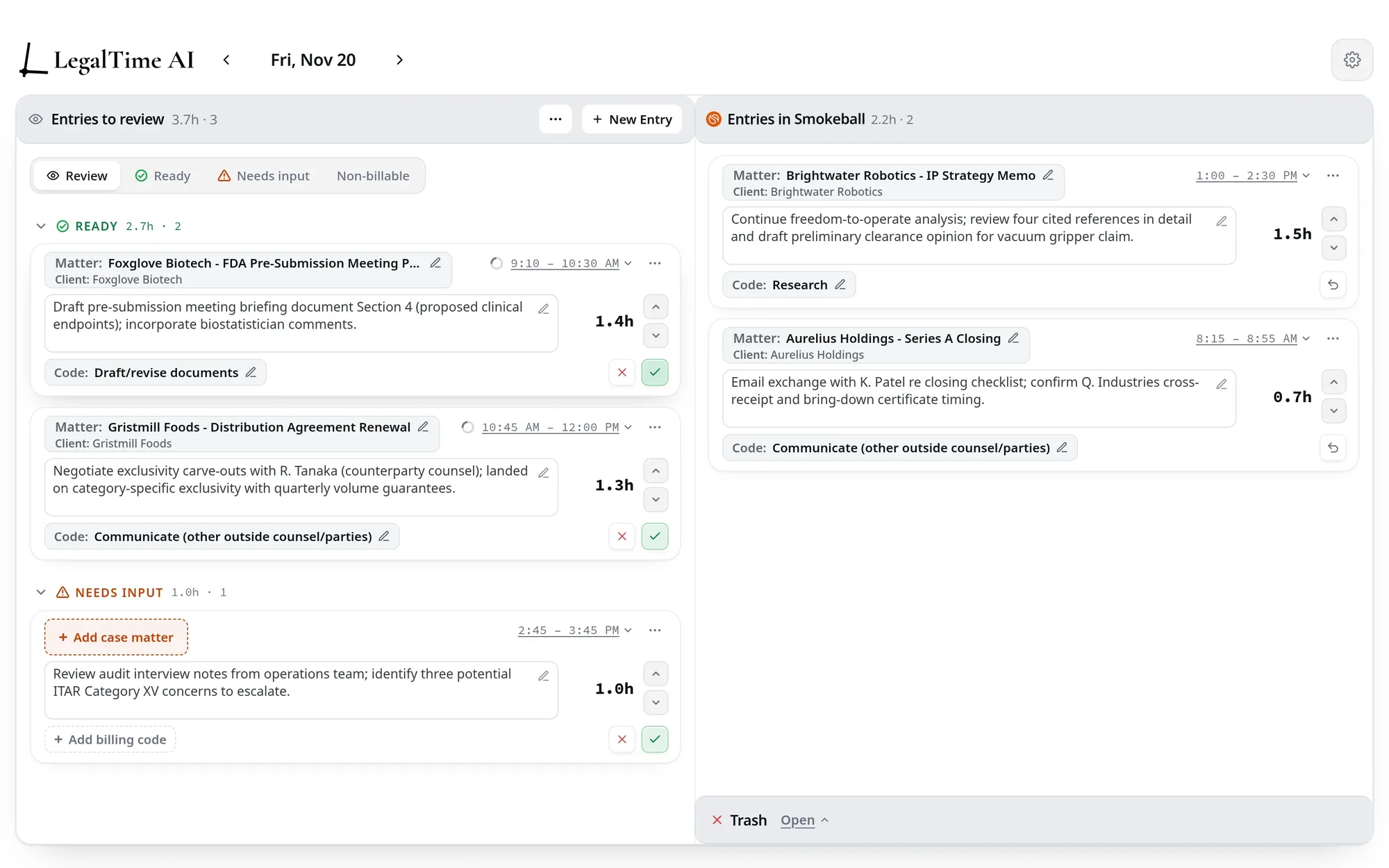
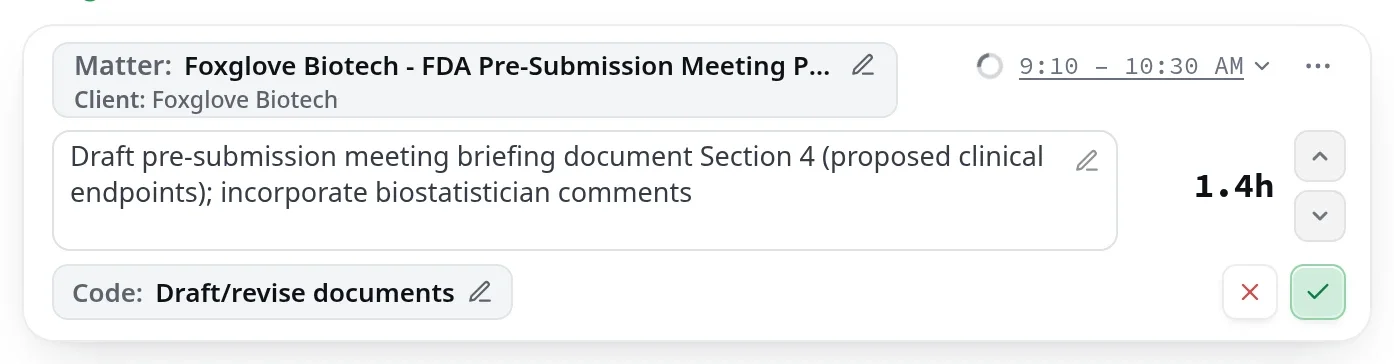
The LegalTime review screen: drafted time entries waiting for review on the left, approved entries sent to Smokeball on the right. Sample data.

Sample data. Fictional matters.

“LegalTime AI has been incredibly helpful capturing all my time throughout the day.”
Jonathan KintzeleManaging Attorney, Kintzele Law Group
more billable revenue from the work you already do
+10%
a day to review and release, not a half-hour reconstructing it
~5 min
timers to start, apps to live in, or habits to build
0

How it works

From your workday to Smokeball, without the timesheet.

01 · Capture

It sees the work.

Documents, email, calls, and research on your computer. No timer to start.

02 · Draft

It writes the entry.

Matter, activity code, narrative, and time in tenths, matched to your Smokeball matters.

03 · Release

You approve. It posts.

Nothing reaches Smokeball until you approve it. Then it is an ordinary Smokeball time entry.

Built for Smokeball

Connects with your Smokeball login. Nothing else.

Reads from Smokeball
  • Matters and clients
  • Staff, rates, and activity codes
Writes to Smokeball
  • Only the entries you approve
Never needs
  • API keys or a developer account
  • An IT project

Local-first capture

Activity stays on the attorney device by default.

Zero Data Retention

AI drafting under ZDR agreements. Never used for training.

You release every entry

Your review is the gate. No surprise entries in Smokeball.

Encrypted in transit

Released entries travel to Smokeball over TLS.

Read our security overview

Live on Smokeball in about ten minutes.

  1. 1

    Create your account

    Your firm and who bills. Two minutes.

  2. 2

    Sign in with Smokeball

    Each attorney uses their own Smokeball login.

  3. 3

    Install and work

    Drafts appear as you work. Approve, and they post.

Before you start.

Do I need an API key or developer account from Smokeball?
No. Each person signs in with their own Smokeball login, the same way you sign in to Smokeball itself.
How does the free trial work?
Every new firm gets 30 days free. You add a card during setup and are not charged until the trial ends. Cancel before then and you pay nothing.
What does LegalTime read and write in Smokeball?
It reads your matters, clients, staff, rates, and activity codes so each entry lands on the right matter at the right rate. The only thing it writes is the time entries you approve. It never creates or changes matters.
Will it create duplicate or wrong entries?
Nothing reaches Smokeball until you approve it, so your review is always the gate. Released entries are ordinary Smokeball time entries you can edit or delete.
What about client confidentiality?
Capture stays local-first on the attorney device by default. AI drafting runs under Zero Data Retention agreements, so your data never trains a model. See the security page.
Does it work with Smokeball outside the US?
Not yet. LegalTime connects to US Smokeball accounts today. If your firm runs Smokeball in Australia or the UK, email quinn@legaltime.ai.
Can I edit an entry after it reaches Smokeball?
Yes. Once released it is a normal Smokeball time entry, so you can edit, reassign, or delete it exactly like one you typed by hand.
Does my whole firm need to switch anything?
No. Attorneys keep working the way they already do in Smokeball. LegalTime just removes the end-of-day reconstruction by drafting the entries for them.

Stop rebuilding your day for Smokeball.

Thirty days free, set up in about ten minutes. If anything is unclear, email me and I will answer personally. quinn@legaltime.aiQuinn Godfredsen, Co-founder, LegalTime AI

Start free trialRather see it first?